
Blog · Satellite & Freesat · 2 August 2026
Can I Use My Existing Sky Dish for Freesat?
Often, yes — Sky and Freesat use the same satellite position. But whether it actually works comes down to your LNB, cabling and dish condition, not just the dish itself.
Short answer: In many cases yes, because Sky and Freesat share the same satellite position — but the LNB type (especially on Sky Q installations), cable condition and dish alignment all need checking before assuming an existing dish will work without any changes.
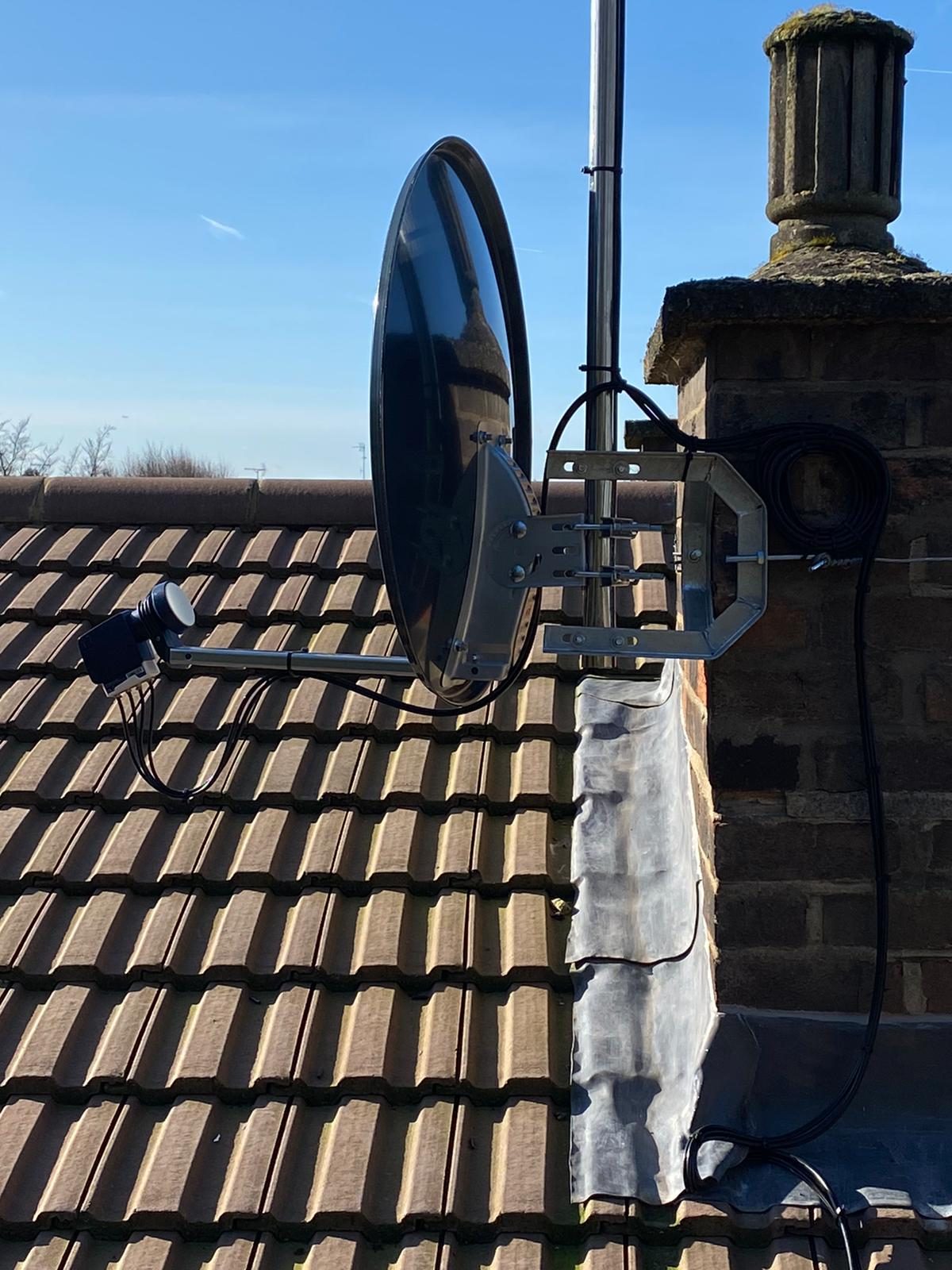
Existing dish condition
Sky dishes and Freesat both use the same Astra satellite position, so the dish itself is very often physically reusable — provided it's still correctly aligned and in good physical condition. A dish that's corroded, loose, or has been knocked out of alignment will need attention regardless of which service you're switching to.
Cable condition
The coaxial cable running from the dish to wherever the receiver sits needs to be in good condition and correctly connected. Older cable runs, particularly ones with outdoor joints, are worth checking before assuming they'll work perfectly with a different box.
Dish alignment
Because Sky and Freesat share the same satellite position, a dish already aligned for Sky should, in principle, already be correctly aligned for Freesat. This should still be confirmed rather than assumed, especially if the dish has been in place for many years.
LNB compatibility — usually the deciding factor
The LNB (the component at the front of the dish that receives the satellite signal) is usually the deciding factor, not the dish itself. Older Sky installations commonly use a Universal LNB. Sky Q installations commonly use a wideband LNB instead. Compatible Freesat 4K boxes are designed to work directly with a wideband LNB, which is why not every Sky Q installation needs the LNB replacing to move to Freesat. Older or standard Freesat boxes are generally built around a Universal LNB instead, so compatibility depends on which combination of box and LNB you actually have.
Differences between older Sky installations and Sky Q
This is a common source of confusion. If your existing installation is Sky Q, check carefully whether the Freesat equipment you're planning to use is designed to work with a wideband LNB. Where older and newer equipment need to work side by side, a hybrid LNB can support both a wideband output and a standard output from the same dish. Older Freesat boxes and televisions with a built-in satellite tuner can have different compatibility requirements again, so it's worth checking the specific equipment involved rather than assuming one rule covers every case.
| Existing LNB | Freesat 4K box | Older/standard Freesat box | Built-in TV satellite tuner |
|---|---|---|---|
| Universal LNB (common on older Sky) | Generally compatible | Generally compatible | Depends on the tuner — check its specification |
| Wideband LNB (common on Sky Q) | Generally compatible | May not be compatible without a hybrid or replacement LNB | Depends on the tuner — check its specification |
| Hybrid LNB | Compatible | Compatible | Depends on the tuner — check its specification |
Freesat-compatible televisions
Some televisions include a built-in Freesat tuner, letting you receive Freesat channels without a separate box at all, provided the dish, cable and LNB are suitable. This is worth checking on the television's own specification before assuming a separate box is needed.
Freesat set-top boxes
Where a separate Freesat box is used instead of a built-in tuner, the same LNB compatibility question applies — the box needs an LNB output it can actually work with, whether that's from the original dish or an upgraded one.
Number of tuners and recording requirements
If you want to record one channel while watching another, or want the same recording flexibility you had with a previous Sky box, check how many tuners the Freesat equipment has and whether the LNB and cabling can support that number of simultaneous feeds.
What to check after moving into a property
- Confirm whether the existing dish has a Sky Q (wideband) LNB or an older Universal LNB
- Check the condition of the cable run and outdoor connectors
- Confirm the dish is still securely mounted and correctly aligned
- Check how many cables run from the dish, which affects how many tuners can be supported
Situations where the dish, LNB or cable may need altering
If the LNB type doesn't match the equipment you want to use, if the dish has moved or corroded, or if you want more simultaneous tuners than the current cabling supports, some combination of an LNB swap, dish realignment, or additional cabling will be needed before everything works reliably.
Listed buildings, rented homes or installation restrictions
Some properties — particularly listed buildings, conservation areas, or certain rented or leasehold arrangements — have restrictions on satellite dish installation or replacement. It's worth checking any relevant restrictions before assuming a dish can simply be swapped or repositioned.
🚧 Please don't attempt to inspect, move or adjust a roof-mounted or high-level dish yourself. Confirming LNB type and dish condition safely usually means a proper look from close range, which needs the right access equipment.
Our satellite installation & repair service can confirm exactly what your existing dish and LNB will support before recommending any changes. If you're already seeing a no-signal message, see our guide: Why Does My Sky or Freesat Box Say No Satellite Signal?
Official sources: Freesat and Sky Help.
AV Infusion is based in Welwyn and provides TV aerial, satellite, CCTV and TV wall-mounting services throughout Welwyn Garden City and the wider Hertfordshire area.
Frequently Asked Questions
Can I definitely use my old Sky dish for Freesat?
Often yes, since Sky and Freesat use the same satellite position, but it isn't guaranteed — the LNB type, dish condition and cabling all need checking first.
What's the difference between a Sky Q LNB and a standard one?
Sky Q uses a wideband LNB. Freesat 4K boxes are designed to work with a wideband LNB, so not every Sky Q installation needs the LNB replaced, but older or standard Freesat boxes are generally built around a Universal LNB instead, so it's worth checking your specific equipment.
Do I need an engineer to switch from Sky to Freesat?
For a straightforward older Sky installation, sometimes not — but if the LNB type doesn't match, or the dish or cabling needs attention, a professional check avoids buying equipment that won't actually work with your setup.
Can I use a Freesat box on any existing dish?
Only if the LNB and cabling are compatible with that specific box's requirements, which varies between older Universal LNB setups and Sky Q wideband LNB setups.
Will I lose the ability to record if I switch to Freesat?
Not necessarily, but the number of tuners on your new equipment needs to match what your cabling and LNB can actually support for simultaneous recording and viewing.